July 2026 Release
Production Release Date: July 29
Rest APIs
The following API changes are documented on https://api.bunchball.com/docs.
-
POST /gamification-token - Updated the expiresIn example to just under 24 hours to match our recommended expiration time.
-
POST /leaderboards and PUT /leaderboards/{leaderboardId} - For quarterly and yearly leaderboards, startMonth is now a required parameter.
-
GET and POST /challenges and GET and PUT /challenges/{challengeId} - Updated to include the repeatableWindow attribute. This change is for an upcoming feature and is not yet usable by Nitro.
Product Updates
OAuth Tokens in Blocks
As previously announced, support for legacy OAuth tokens in blocks has been deprecated. When you attempt to access the Recognitions or Impact block using a legacy OAuth token, you will see an invalid token message.
Sandbox Login
We've migrated the Sandbox platform, which includes a new login process.  All Nitro Studio administrators need to re-register their account to log in to Nitro Studio.
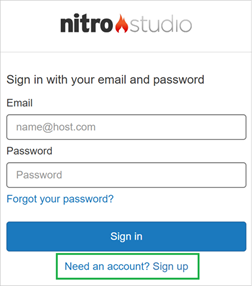
To re-register:
-
Navigate to the Nitro Studio login page.
-
Click Sign up.
-
Enter your existing Nitro Studio username and password. This user must already exist as a Studio user.
-
Complete any confirmation steps as prompted.
-
Log in as usual.
After logging in, your Nitro Studio experience should be unchanged. One exception is that the Welcome page has been removed and Studio will open directly to the Users view.
In the coming months, we will be migrating Production environments to the new login experience. Your account team will work with you to coordinate the timing of your Production migration and discuss whether you would like to enable Single Sign-On (SSO) for your Production environment.
Impact At a Glance
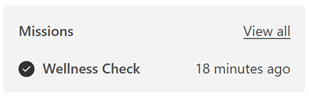
The "View all" link in the At a Glance section has been updated to open the All Missions view To Do tab. Previously, this link opened the Completed tab. To open the All Missions view Completed tab, click the mission name link.
Award Account Statement
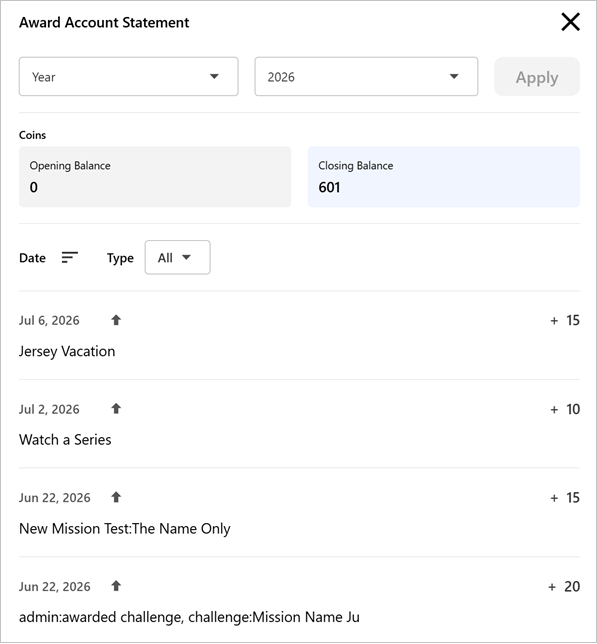
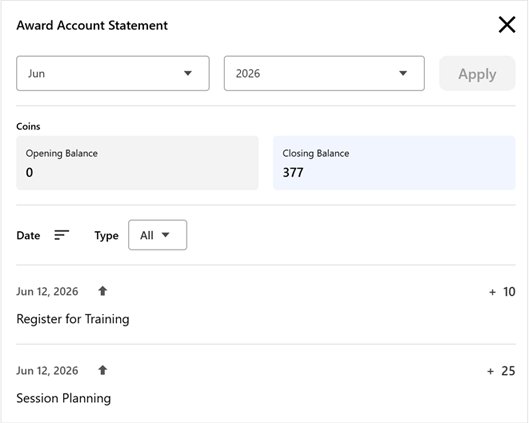
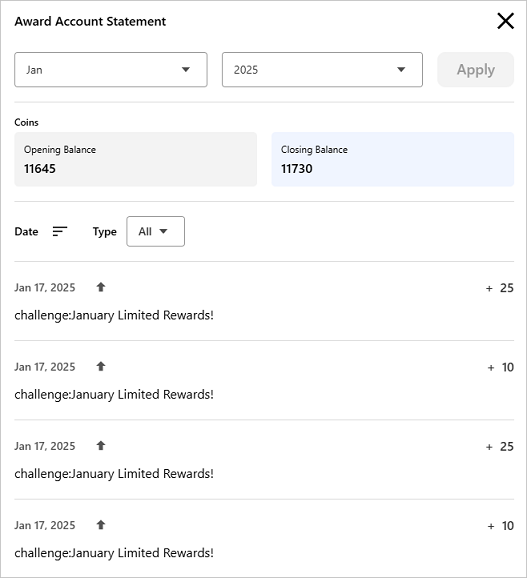
We've added a new option to the Impact Award Account Statement that allows you to view all year-to-date (YTD) or full-year transactions.
When you select the Year option and the current year, all YTD transactions are returned. When you select the Year option and a previous year, all transactions within that year are returned.
Award Account Transaction Descriptions
Descriptions on award account transactions have been updated in the Impact award account statement, webhooks, and Nitro Studio Users view.
|
Element |
Previous Tags |
Current Tags |
Previous Description |
Current Description |
|---|---|---|---|---|
|
Award Account Statement |
N/A |
N/A |
|
|
|
Webhook |
N/A |
|
|
|
|
Studio Users View Balances Tab |
|
|
N/A |
N/A |
|
Current |
Previous |
|
|
|
Mission Icon Upload
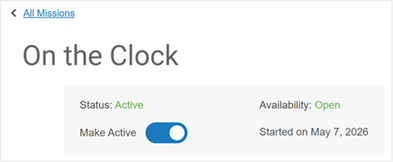
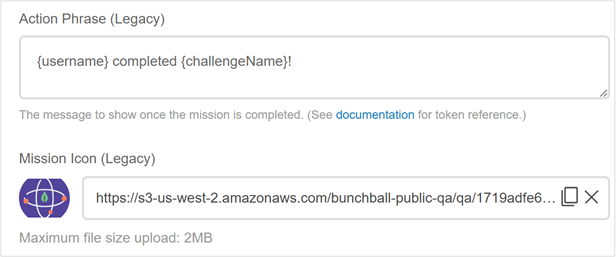
The legacy mission icon upload has been moved from the Mission Builder header to the Details tab.
Data Import
User Actions and Group Actions files now support an eventId attribute to help prevent duplicate transactions. See Batch File Requirements to add an eventId column to your data import.
Product Fixes
-
Fixed an issue where the calendar didn't open when manually logging an action.
-
Fixed an issue where the randomize question option wasn't working correctly for two question quizzes.
-
Fixed an issue where the audit log didn't provide the correct information when a mission rule was added or updated.
-
Fixed an issue where you could create a quarterly or yearly leaderboard without a start date.
See also